FUIButtonOutlinedTextIcon

As its name implies, the FUIButtonOutlinedTextIcon widget is analogous to the outlined button found in HTML/Javascript Bootstrap framework, utilizing Flutter’s OutlinedButton widget.
Instead of a full colored button, the colors are only on the borders and text/icon.
Widget Class Location
The FUIButtonOutlinedTextIcon widget classes could be found in:
The FUIButtonTheme class is the theme class holds the default theme variables/values.
Accessing the theme
To access the theme class object, do the following:
Usage
The FUIButtonOutlinedTextIcon widget is developer-friendly and requires only the label text (with an optional icon) and the onPressed callback. The usage is straightforward:
Block level
The FUIButtonOutlinedTextIcon offers two block modes:
Full: The button is stretched to occupy the available width of its parent containing widget.
Fit: The button’s width is adjusted to match the width of its label text.
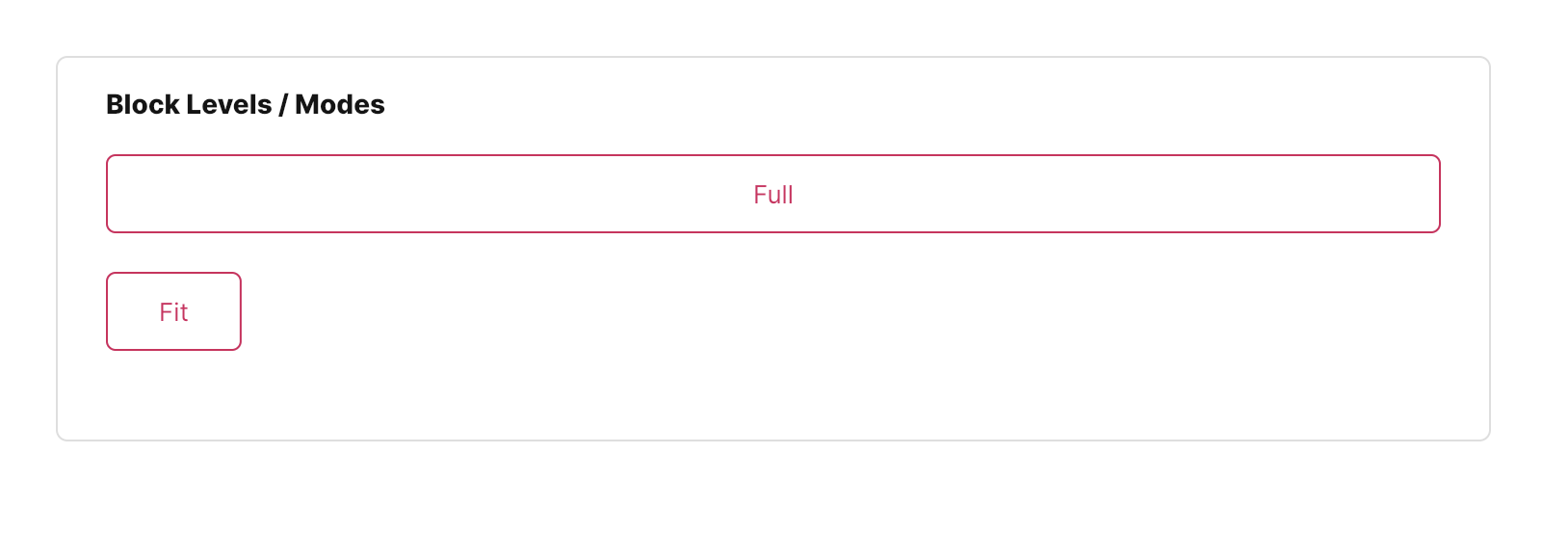
This can be accomplished by configuring the fuiButtonBlockLevel parameter, which accepts values from the FUIButtonBlockLevel enum.
Changing the size
Different sizes could be configured for the FUIButtonOutlinedTextIcon, namely:
Large
Medium (default)
Small
This can be accomplished by configuring the fuiButtonSize parameter, which accepts values from the FUIButtonSize enumeration.
Changing the shape

The FUIButtonBlockTextIcon has 2 different shapes, namely:
Square (default)
Rounded - with rounded sides.
This can be accomplished by configuring the fuiButtonShape parameter, which accepts values from the FUIButtonShape enumeration.
Positioning Text and Icon

The position of the text and icon of the button label can be swapped. The icon of the left or right side can be placed on top of the text, or vice versa.
This can be accomplished by configuring the fuiButtonTextIconPosition parameter, which accepts values from the FUIButtonTextIconPosition enum.
Changing the color scheme

The FUIButtonOutlinedTextIcon can be customized with a different color scheme by configuring the fuiColorScheme parameter. This parameter accepts values from the FUIColorScheme enum, allowing for flexibility in color selection.
Enabling / Disabling with Controller
The FUIButtonOutlinedTextIcon enables or disables the button through a controller.
This functionality can be accomplished using the FUIButtonController controller.
Major Parameters
Parameters | Description |
|---|---|
Text text | The label text of the button. |
Icon? icon | The icon for the button (if any). |
FUIButtonTextIconPosition fuiButtonTextIconPosition | The position of the label text and icon in the button. |
FUIColorScheme fuiColorScheme | The desired color scheme of the button. |
FUIButtonSize fuiButtonSize | The desired pre-configured size of the button |
FUIButtonShape fuiButtonShape | The desired pre-configured shape of the button. |
FUIButtonBlockLevel fuiButtonBlockLevel | Stretch the button to the fullest width or fit mode. |
FUIButtonController? fuiButtonController | The controller to toggle enable / disable for the button. |
Color? borderColor | Overrides the border color. |
Other parameters
The other parameters corresponds to the ones available in OutlinedButton.