FUIAvatarStack
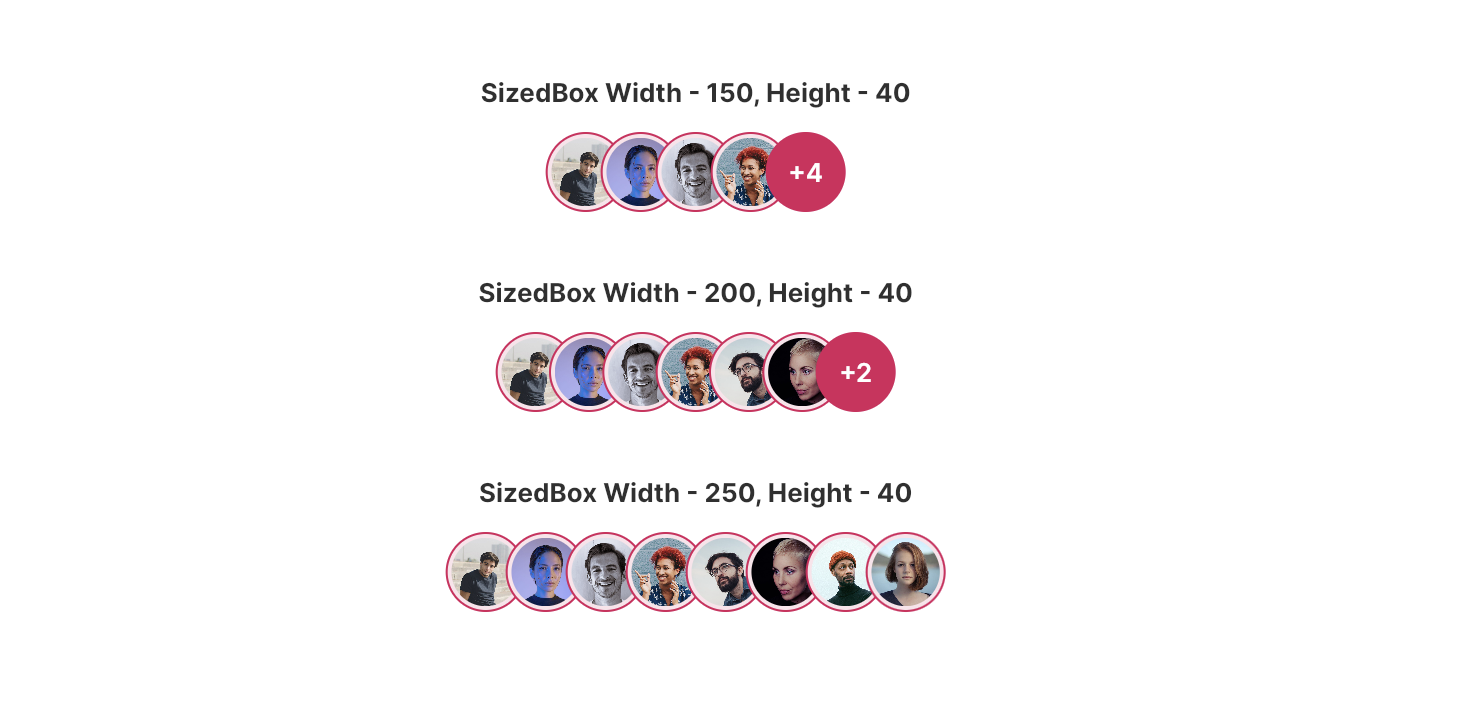
The FUIAvatarStack serves as a widget that facilitates the arrangement of avatars in a horizontal stacking manner.
Widget Class Location
The FUIAvatarStack widget class could be found in:
lib/focus_ui_kit/components/avatar/fui_avatar_stack.dart
The FUIAvatarTheme class is the theme class holds the default theme variables/values.
Accessing the theme
To access the theme class object, do the following:
@override
Widget build(BuildContext context) {
FUIAvatarTheme avatarTheme = context.theme.fuiAvatar;
// ...
}
Usage
Here is a simple example of the usage of the FUIAvatarStack. Ensure that the height is defined as a finite value:
FUIAvatarStack(
height: 40,
avatars: [
FUIAvatar(
avatar: AssetImage('folder/avatar01.jpg'),
),
FUIAvatar(
avatar: AssetImage('folder/avatar02.jpg'),
),
...
],
);
To confine the FUIAvatarStack to certain width and position:
By default, the FUIAvatarStack occupies the entire available width of the parent container and aligns the avatars from left to right. These can be customized.
FUIAvatarStack(
width: 200,
height: 40,
settings: RestrictedPositions(
align: StackAlign.right, // Align to right (instead of left).
minCoverage: FUIAvatarTheme.minCoverage,
maxCoverage: FUIAvatarTheme.maxCoverage,
),
avatars: [
FUIAvatar(
avatar: AssetImage('folder/avatar01.jpg'),
),
FUIAvatar(
avatar: AssetImage('folder/avatar02.jpg'),
),
...
],
);
For further information regarding the settings parameter, please refer to the documentation available at: https://pub.dev/packages/avatar_stack.
27 March 2025