Headers & Texts
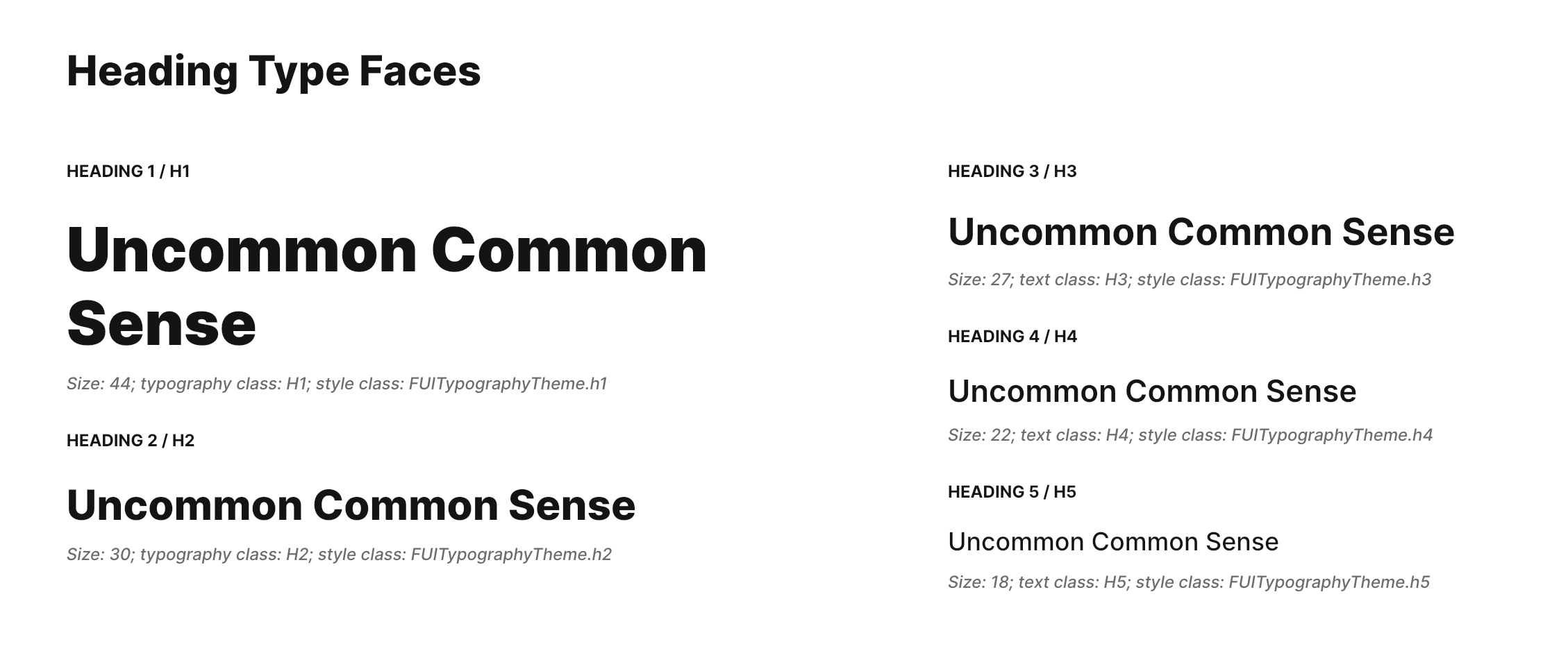
The Focus UI Kit includes pre-configured, visually appealing widgets for displaying text, similar to the HTML elements \<h1\>, \<h2\>, and so on. We can adopt a similar HTML convention and approach to this in the UI kit.
Demo
To observe the typography widgets in action, kindly navigate to "Elements -> Typography" within the demo application.
Widget Classes Location
The dart file which contains all classes for typography is located in:
Widget Theme Location
The FUITypographyTheme class serves as the primary theme class for all typography-related widgets. For further comprehension, kindly refer to this theme class.
Accessing the theme
To access the theme class object, do the following:
Typography and Widget Classes
Typography | Widget Class |
|---|---|
Pre-Header | The widget for Pre-Header, which is |
Header 1 | Correspond to the HTML's <h1>, the widget class is |
Header 2 | Correspond to the HTML's <h2>, the widget class is |
Header 3 | Correspond to the HTML's <h3>, the widget class is |
Header 4 | Correspond to the HTML's <h4>, the widget class is |
Header 5 | Correspond to the HTML's <h5>, the widget class is |
Normal/Regular Text | The widget class is |
Small / Hint Text | The widget class is |
Input Field Label Text | The widget class is |
Usage
These typography widget classes typically share common parameters. Their usage is generally similar across.